
Starfieldis now ours to enjoy and explore, but it can be overwhelming diving into a game that offers such a vast galaxy. You may find yourself swiping every in-game item in a bid to be prepared for anything. Managing your Inventory Mass is an important aspect ofStarfieldthough - and utilising your ship’s inventory is something you’re going to need to learn to take advantage of sooner rather than later.
Take a look atStarfieldin action below.
You’ll be able to increase your Inventory Mass via the skill tree, but you’ll also need to become an item management master. On occasion, you may be forced to drop items or sell them on at Trade Authority outlets and terminals. If you want to hold on to your items though, as they will likely be needed later in crafting, you can take advantage of your ship’s inventory - and there are a number of ways to access it.
Advert
Advert
How do I access my ship’s inventory inStarfield?
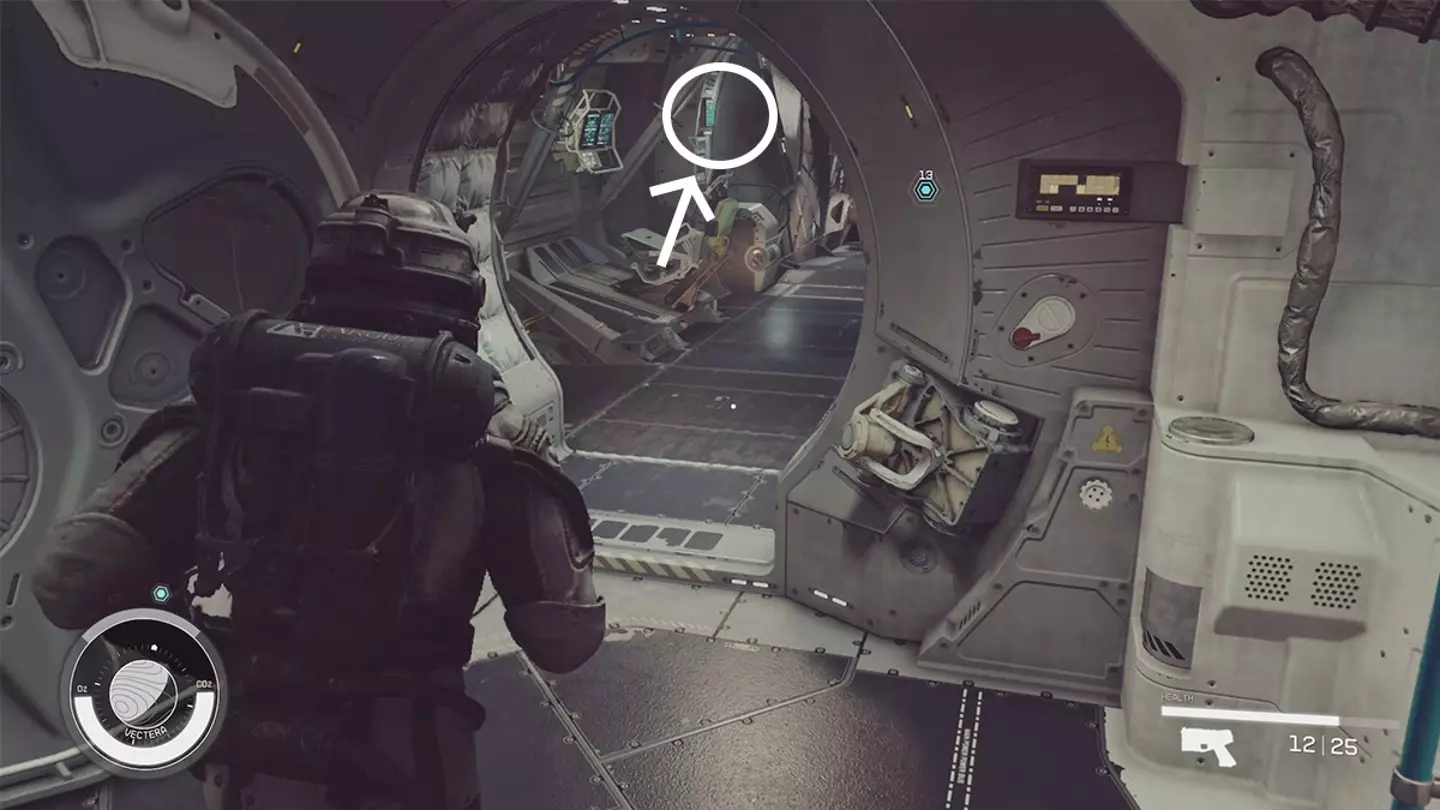
There are a number of ways to access your ship’s inventory, although the easiest method is not all that obvious to spot. Once aboard the Frontier, the ship you’re gifted at the start of the game, walk towards your pilot’s chair in the cockpit. On the wall, to the side of your chair, is a control panel screen situated on the left side (if you’re looking towards their chair).
Use your right analogue stick to hover over this. It’ll then indicate that it’s the Cargo Hold and you’ll be able to see everything stored inside. Press A to take an item out, or press X to transfer extra items into the hold. After pressing X, press LB to open your regulatory inventory. From here, you can select an item and then press A to store it in your ship’s hold.
Bethesda
Advert
Advert
Crafting and Research Stations pull items from both your personal inventory and your ship’s inventory, so you don’t need to worry about this. As such, it can be helpful to store all of your crafting resources in your ship, keeping your personal inventory for weapons, healing items and such like.
Topics:Bethesda,Starfield,Xbox,Guide
